Review and produce discovery documents without uploading them
Discovery Triage is a native Mac app for early case assessment, document review and production. Drop in a folder of client files, search everything, code each document and produce a Concordance-compatible load file with Bates numbers.
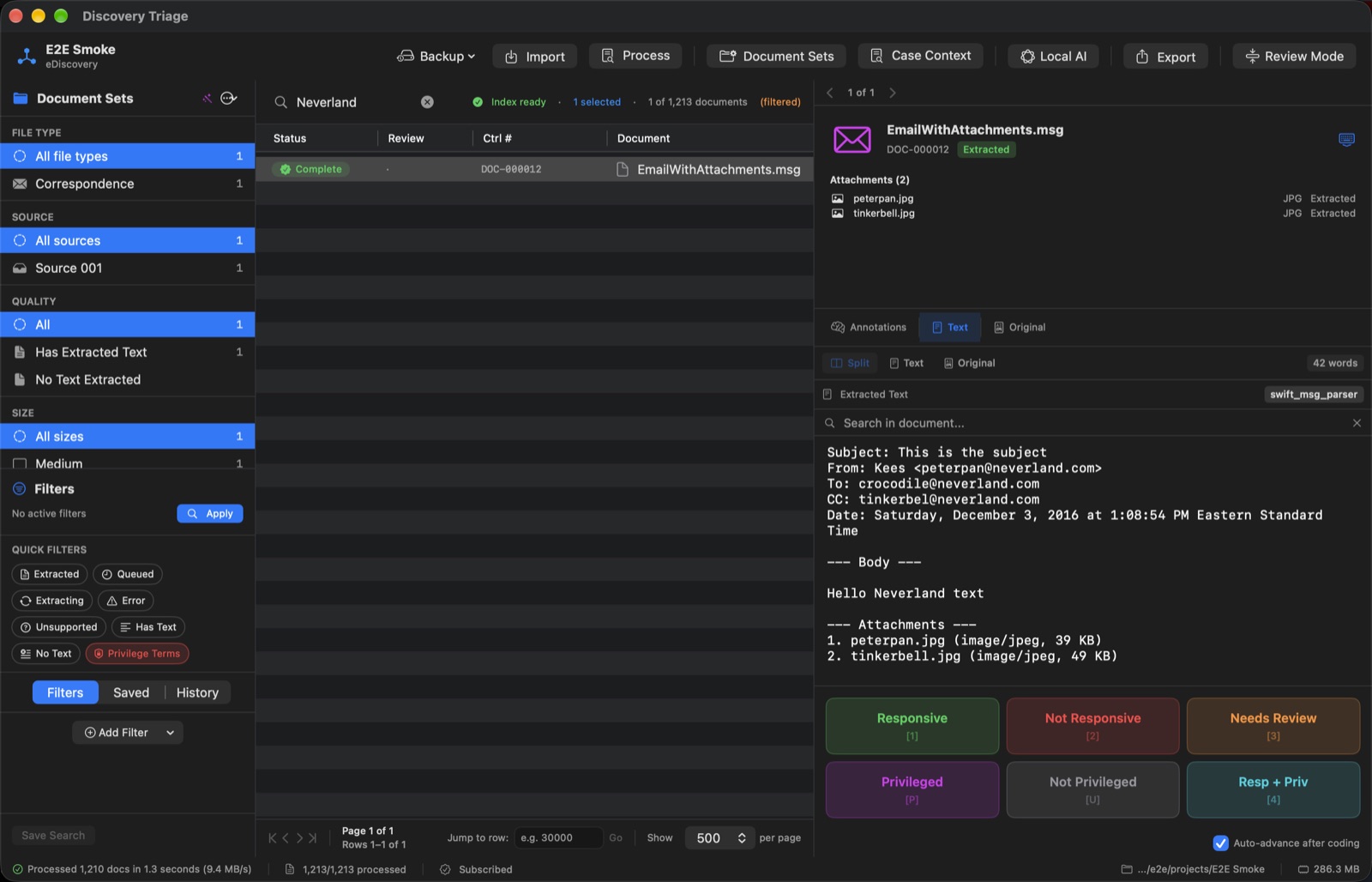
Ingest, review, produce
One app for the whole path from a folder of files to a production set.
Ingest
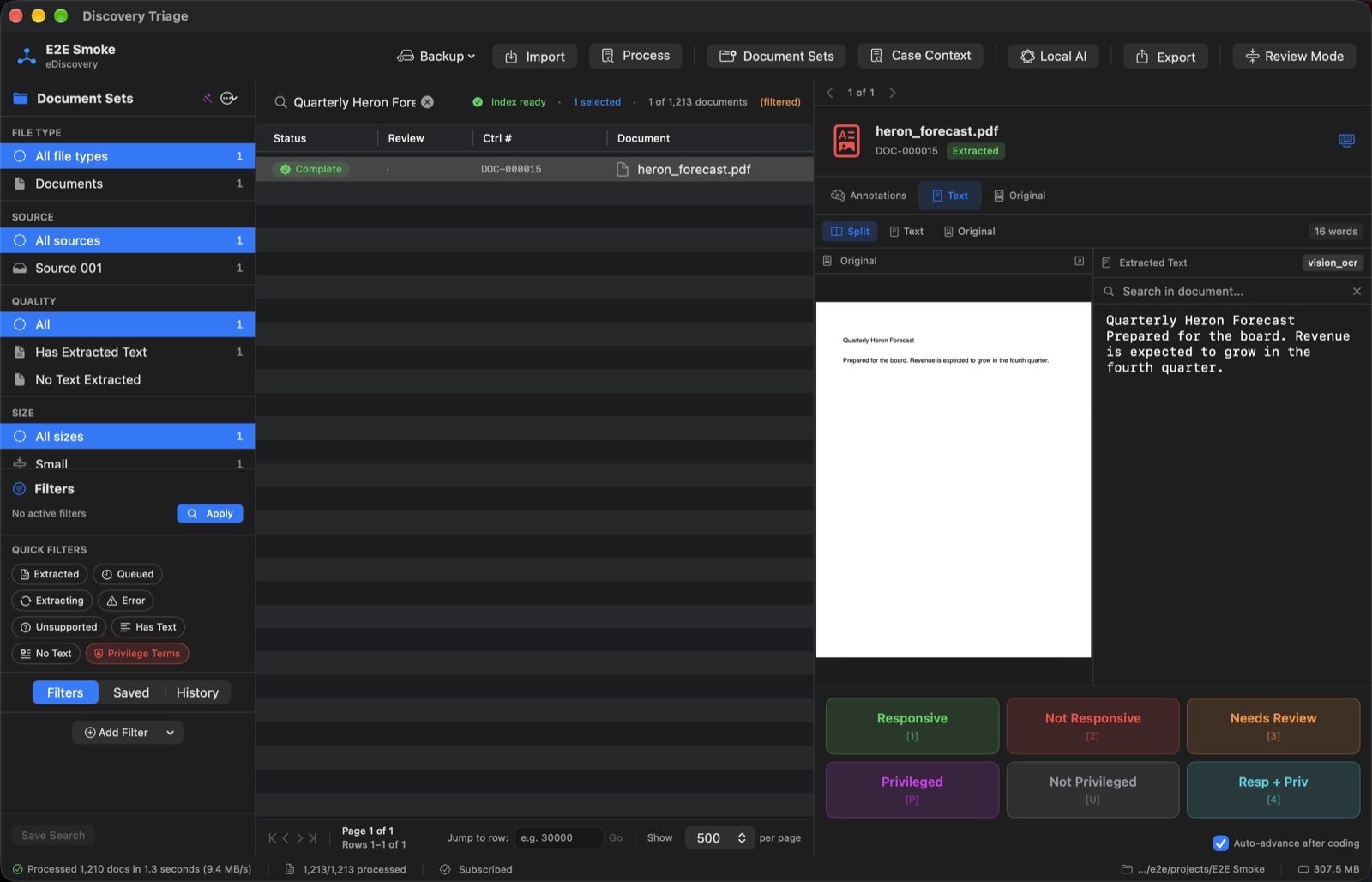
Documents are copied into a project folder on your Mac; originals are never modified. Text is extracted, scanned PDFs and images are OCR'd, and files are hashed (MD5 and SHA-256) for deduplication. Email families, including messages inside PST files, stay together.
Review
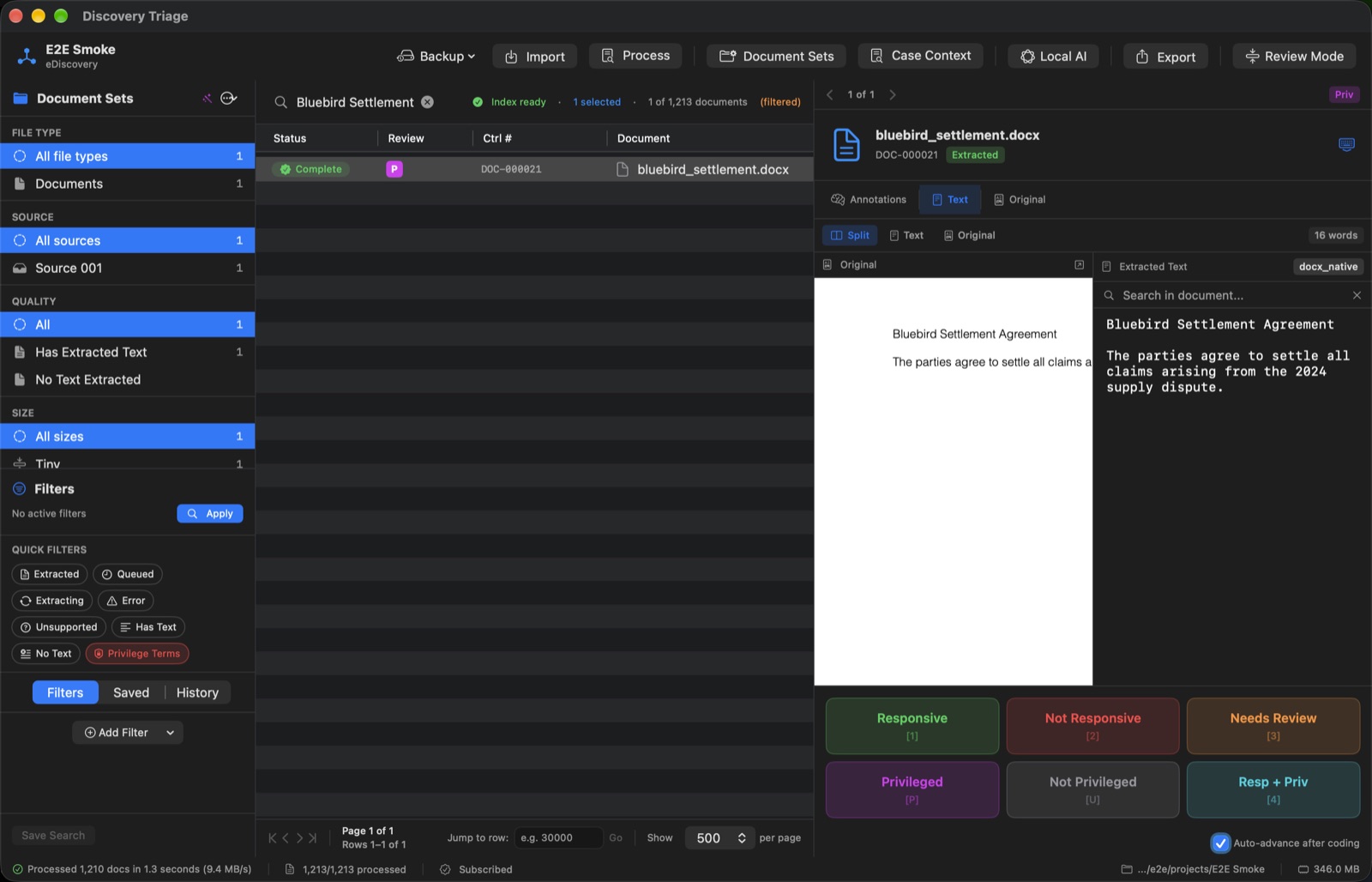
Full-text search with ranked results and highlighting. Code each document Responsive, Not Responsive or Needs Review and flag privilege from the keyboard. Tags, saved searches, document sets and a privilege log.
Produce
Concordance .DAT and Opticon .OPT load files, Bates numbering, native files, text files and Bates-stamped PDF images. A pre-production summary shows what will and will not be produced before anything is written.
Built-in safeguards
AI review, on your Mac
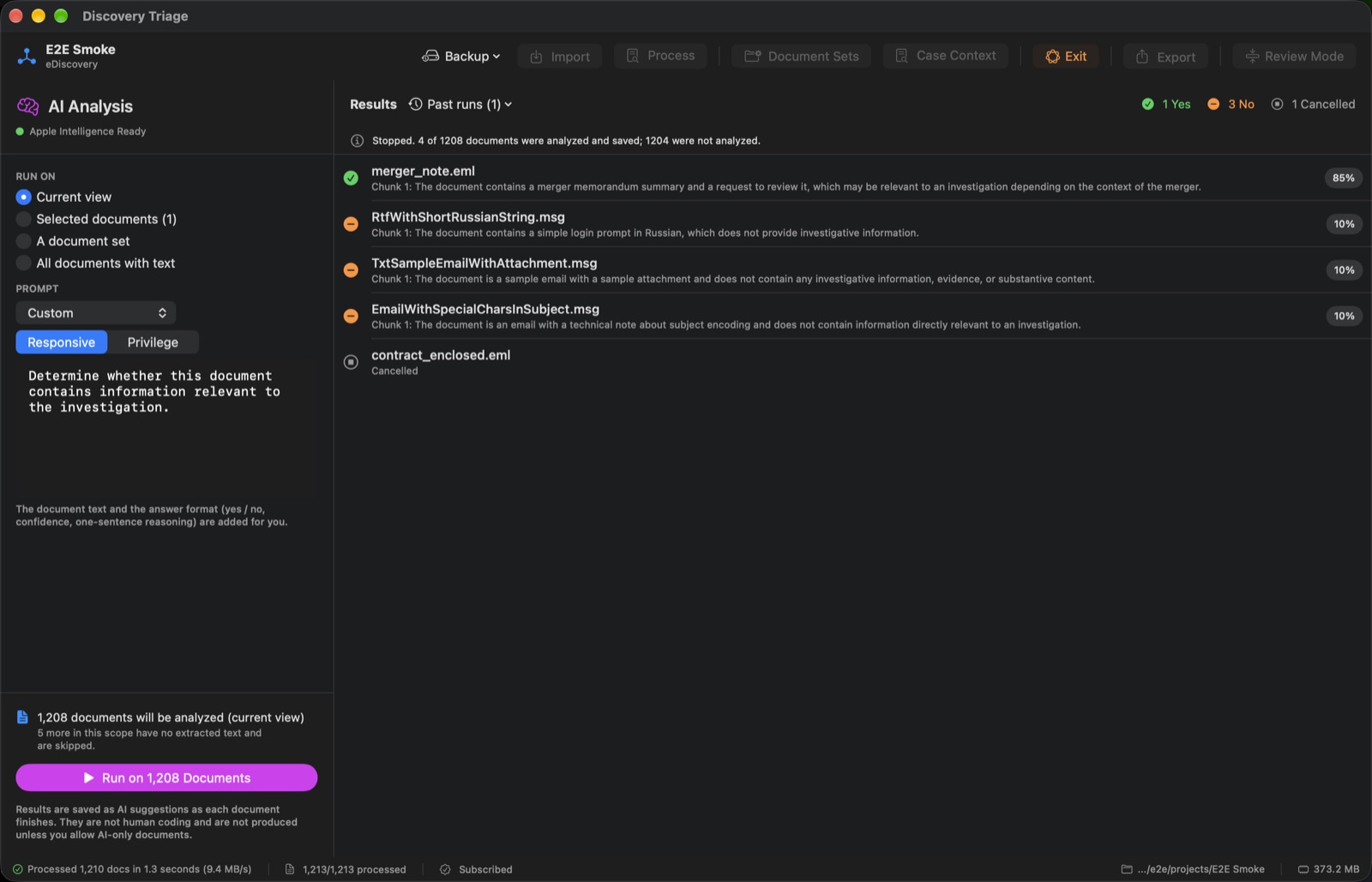
Describe your case and what you are looking for, and Apple Intelligence suggests responsive and possibly privileged documents. It runs on-device, so document text is never sent to a server. AI suggestions are never final: by default only documents you coded Responsive are produced.
Privilege safeguards
A document coded privileged is never produced by default. A Responsive document the AI flagged as possibly privileged is held back until you answer the privilege question or deliberately override the hold.
Tamper-evident audit log
Coding, tags, AI runs, productions, exports and backups are recorded in a hash-chained log you can verify inside the app and export as CSV or JSON. It is tamper-evident, not tamper-proof: it shows whether the record was altered, it does not prevent it.
Backups
One-step project backup and restore with a checksum manifest, plus automatic snapshots before risky operations such as imports and productions.
Supported files
Documents: PDF (with OCR for scans), Word, PowerPoint, Excel and RTF. Email: PST and OST (Unicode format), MSG, EML, mbox and winmail.dat. Images with OCR: PNG, JPEG, TIFF, GIF, BMP and HEIC. Plain-text formats. ZIP, TAR and TAR.GZ archives.
Not supported for now: 7z and RAR archives (extract them first), and audio or video transcription. Audio and video files are indexed by their metadata only. For transcription, see the separate companion app Soundproof Legal.
Requirements
To run the app
A Mac running macOS 26 or later.
For AI review
A Mac with Apple silicon that supports Apple Intelligence, Apple Intelligence turned on in System Settings, and a language and region it supports.
Without Apple Intelligence
Everything except AI review still works: import, extraction, OCR, search, manual coding, the privilege log and production.
Pricing
Free for projects up to 500 documents, with every feature included.
For larger projects, a subscription, billed monthly or yearly through the Mac App Store.
$24.99/month or $199.99/year (US pricing; set on the Mac App Store)
If a subscription lapses, projects over 500 documents stay viewable, searchable, backup-able and re-exportable. Adding documents, coding, AI review and new productions need an active subscription.
Privacy in short
The app contains no networking code: no accounts, sync, analytics or update checks. Documents are copied into a project folder on your Mac. AI review uses Apple's on-device model. HTML, XML and SVG previews are shown with remote content blocked, so a document cannot phone home when you look at it. Read the full privacy policy.
Screenshots
Coming soon to the Mac App Store
Leave your email and we will tell you when Discovery Triage is available. We use it only for launch and product updates.